Journey into Retro-Tech Nostalgia - Part 2
In the first part, I looked at the technology that got me started in IT. While it’s interesting to hark back to a time when tech was more rudimentary, it’s important also to reflect on how far tech has come. Not everything about old tech was great, and we have made wonderful advancements that have improved the everyday lives of those working with technology.
This article demonstrates a case in point.
I wondered what use my old Atari ST could be in the modern era of tech. Would it always sit frozen in its time, gathering dust in the corner of my office, destined to remain a nostalgic ornament, or could it be put to some use?
One thing about the ST that I always loved – and still do – is its keyboard. I write a fair bit and I’ve never since found a better keyboard for typing. Its old-fashioned tactile feedback is just enough to mimic the feeling of writing on a typewriter, yet its keypress resistance is just soft enough not to impede the flow. Each key is curved to form a bigger curve around the direction of travel of your fingertips. The modern trend for low-profile keyboards (a design choice mainly demanded by the laptop form factor) makes for keys that can pump out characters faster, are very productive, but always feel a little toy-like to me. It's almost too easy to fire out the words with just a few finger twitches, giving less time to consider what is actually being written. The ST keyboard still feels “serious”, for typing serious things. So I wondered if I could still use it in my daily writing workflow.
Typing a document is one thing, but how to transfer it somewhere useful? A big problem with home computers of that era is they didn't have the ease of digital transfer that we're accustomed to today. Storage for transfer was mostly on floppy disk, and disk formats varied. A common disk format that could be shared by all PCs was initially considered a competitive disadvantage and was still some years off. Most computers didn’t have network connectivity – even IBM-compatible office PCs required a “network card” - and computers for the home-computing market (such as the ST) had no network connectivity at all. So if I was to try to use the Atari to write, how would I even get the text files off in any usable way? It was clear I needed to bridge the divide and connect it to modern tech somehow.
Modern internet technologies have enabled communities, and one thing you learn quickly is that every older tech platform seems to have its own community of enthusiasts, hobbyists, and micro-enterprises eagerly still supporting it. The Atari ST has an "expansion slot", which was then the way of supporting new peripherals. With a little digging, I found that someone out there had developed an expansion slot adapter - called NETUSBEE - that provides both ethernet and USB ports on an old Atari ST! Could I share the document files on a USB stick? Could I simply transfer a file via the network?
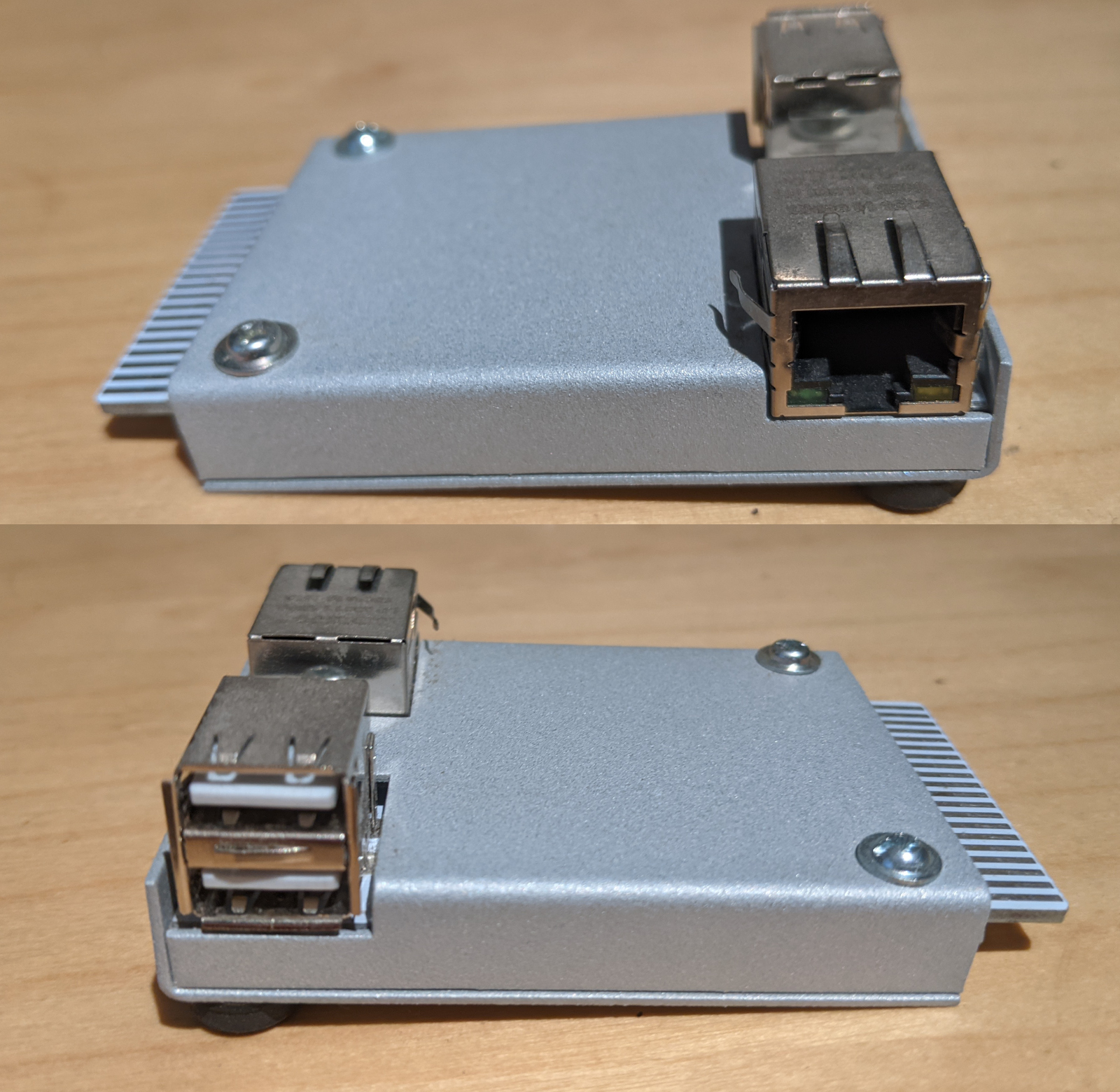
Fig. 1 - NETUSBEE Expansion Port adapter w. USB & Ethernet
Armed with my NETUSBEE, and a copy of STing TCP drivers on a floppy disk I wondered whether I could open a command console connection to my server. Here we hit the first snag. Access to my home server is via secured SSH. It didn't take long to realize the Atari wouldn't have the processing ability to handle cryptography! I had to install telnet on my server to connect (fortunately it's behind a firewall). It worked - I have a network-connected old Atari ST! After the initial flush of excitement I quickly came back to earth with a bump when I saw the speed. Below is a video of the linux "top" command running over telnet and you can clearly see how painfully slow the transfer and screen refresh is to make it a viable terminal for my server.
Fig. 2 - Network terminal refresh speed
I wouldn't mind a slow connection for transferring small text files, but clearly I would have to use FTP to do it (NETBIOS and Samba would be as far beyond the Atari as SSH is.) Using FTP brings me back to college days, but the modern convenience of a USB stick was calling to me.
After linking my powered USB hub to the NETUSBEE I had to get the USB drivers for the Atari loaded. Fortunately they are provided on its web site. I copied them onto the boot floppy disk using a USB floppy drive I still have hanging about. The disk was formatted with FAT12, which can be read by both the Atari and Mac. With a fair bit of mucking around with driver boot order, increasing driver slot space in memory, and dealing with disk space limitations, I finally managed to get my USB optical mouse working for the Atari. Another small victory, and improvement over old tech. While the ST keyboard is great, the ST mouse has always been awful, and the old ball-based mouse sensors were starting to fail, so it was great to have a smooth, reliable mouse again.
A USB stick would prove to be a bigger challenge though. The USB would have to be custom formatted - Atari's TOS operation system could only access partitions up to 512MB in size (considerably smaller than the size of USB storage sticks today.) I managed to find one with a partition of that size, and while it would mount on boot and appear as a drive on the ST, it still couldn't read the contents. More research into partition formats is required, and I'd probably have to use low-level format tools (perhaps in linux) in order to do it. As I had been working with transferring files using floppy disk, and had a working USB hub on the Atari, I decided just to use floppy disk for transfer for now.
The final chunk of old tech to be addressed in this exercise is the Atari's display. The old monochrome CRT (Cathode Ray Tube) was starting to have problems. Its synchronization would be erratic sometimes on startup, until it "warmed-up" enough for the screen to be legible. Perhaps it needs a new valve. (No, I’m kidding; it actually has a valve in there!) The horizontal position is off too. A quick view of the technical manual and schematics for the monitor - still available online too - revealed that it could only be adjusted inside the monitor, by tweaking the position of the CRT emitter relative to the glass tube! Messing around with high-voltage CRTs is one place I'm not willing to go! There's also the issue of the bulk of the monitor and how much room it takes up on a desk. Regrettably, it was time to say goodbye to the Atari's monitor and find an alternative. Atari enthusiasts to the rescue again! There is an adapter available, for a mere €20, to convert the ST's original DIN plug monitor output to a VGA output. This means I could connect it to one of my Samsung LCD displays that has a VGA input and supports the scan frequency needed for Atari's monochrome output.
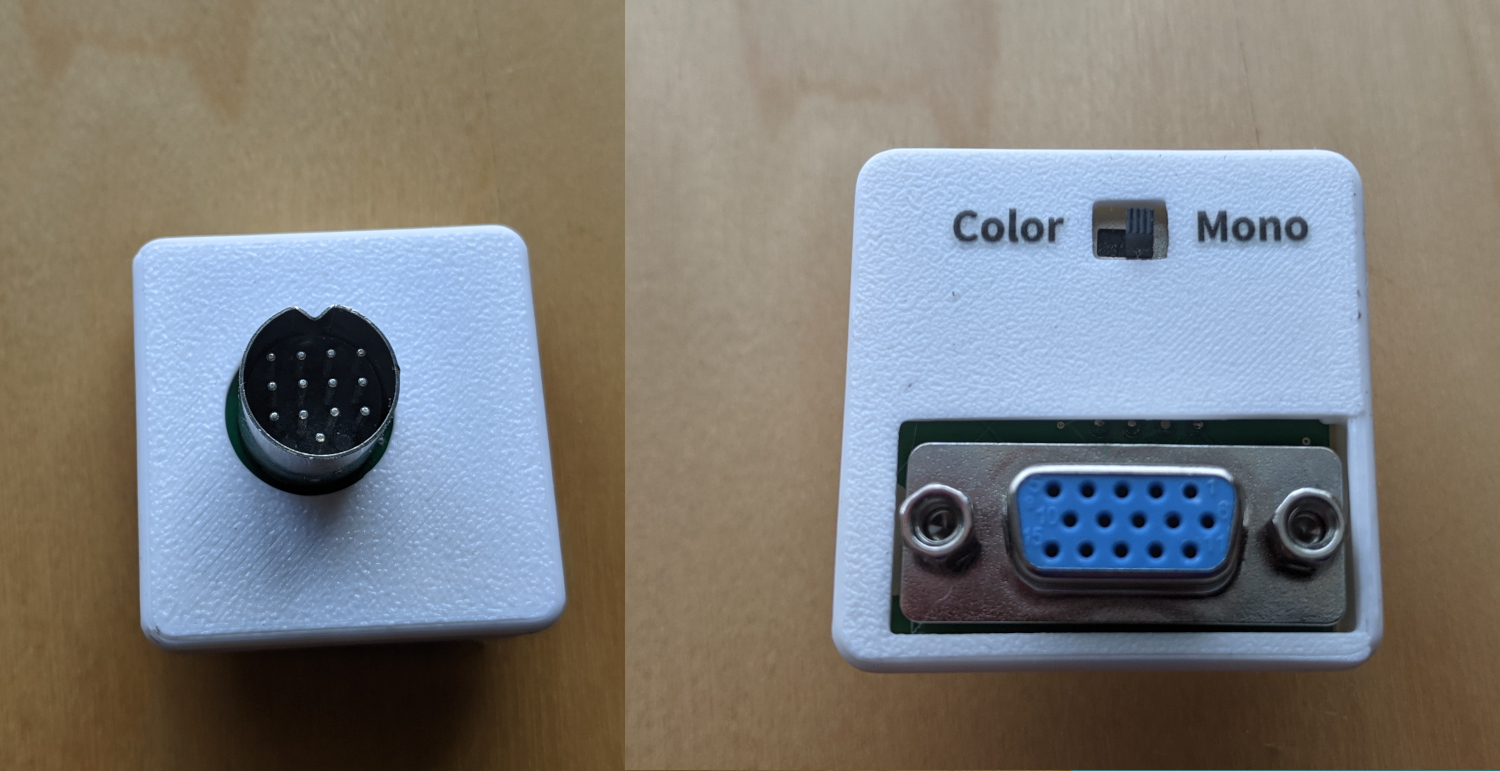
Fig. 3 - Atari ST to VGA Monitor Adapter
The display doesn't look as pretty or as smooth as the original monitor, but it sure is easier on the eyes and desk.
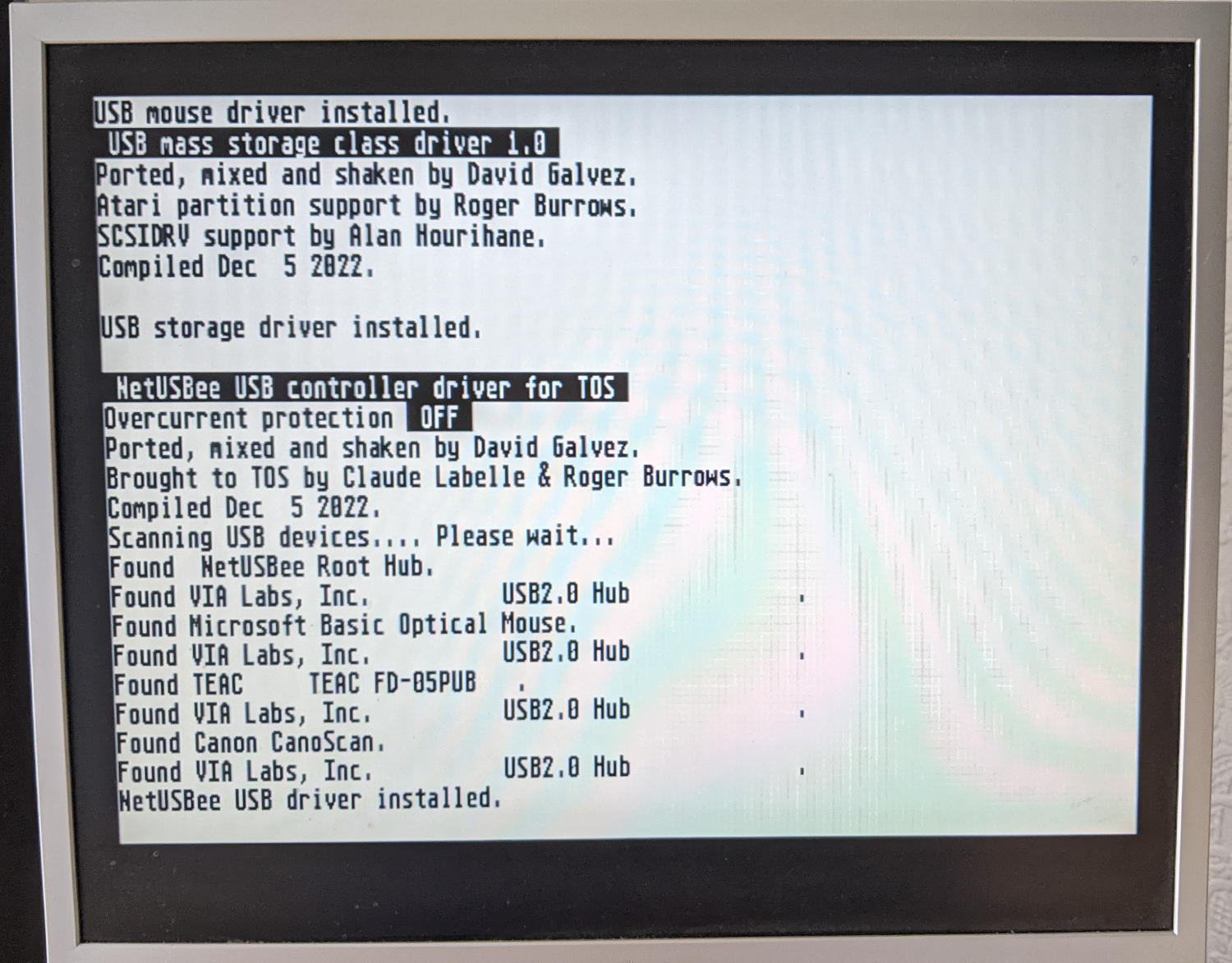
Fig. 4 - Atari ST on a VGA LCD Monitor
After all that exploration, I'm left with only the keyboard and the computer processor unit in daily use. And to be honest, even the processor unit's days are numbered. I started this journey motivated by a wish to use the keyboard. In the end, only the keyboard will be left in my workflow. The plan, thanks again to the Atari hobbyists, is to convert it to a pluggable-USB keyboard. I can then connect it to any of my other computers and use it to write. There is a keyboard converter project out there for it. Some self-assembly is required this time, though I'm not unfamiliar with soldering up some PCB connectors, but it's a time consuming task to complete it, and doing so will (sadly) mark the end of my journey with my retro tech. So perhaps that's why I'm delaying it.
While it’s fun to play around with retro tech sometimes, most of it feels very constrained now and really does belong in the past. So is that the moral of this tale: is the past best left in the past? Technology moves on and demands we move on with it. We do so, but we can take a bit of the old with us, and use it as a reminder of what was good back then, what started our technological journey to today, and as a reminder that there’s good in present-day tech too.
For now, until I ditch the old Atari for good, and just retain the keyboard, part of me likes still writing on the old thing, using the FirstWord Plus word processor! I can write focussed, undistracted, knowing there won't be the ping of desktop or email notifications to tempt me. I write on the computer that reminds me of the time when I was excited to explore new modern tech of the day, and dreamed of where it - and I - would be in future.